Your Microsoft Technology Development and Consulting Experts - Operating since 2000

Australia WideSydney, NSWMelbourne, VicBrisbane, QldPerth, WAAdelaide, SACanberra, ACTNorthern Rivers, NSWWollongong, NSWRichmond, VicDarwin, NT
Your Microsoft Technology Development and Consulting Experts - Operating since 2000



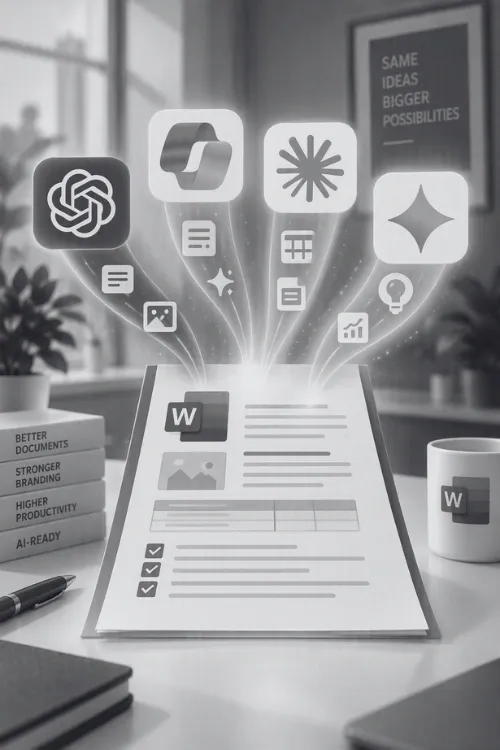
Copilot and other AI tools in Microsoft Word are only as good as the documents you give them. Point them at a template built on manual formatting and they'll break your branding, ignore your styles and tell you the job's done when it isn't.
Word Experts builds AI-ready Word templates that Copilot can actually understand and fill accurately, every time. We can modify your existing templates, and even build custom AI agents that take repetitive document work completely off your team's plate. Twenty-five years of Word development, now applied to AI.
Copilot, ChatGPT for Word and Claude for Word are improving every month. Microsoft alone has shipped model switching, agentic editing and tracked-change support in 2026. But in real business documents, the gap between the demo and the day-to-day is still wide. These are the complaints we hear most from Australian organisations.
Ask Copilot to fill a branded template and it can skip headers and footers, break tables, or dump text at the bottom of the page instead of filling the blanks.
Microsoft's own support answers acknowledge that Copilot can report a formatting change as complete when nothing has changed, particularly in long documents or where styles aren't set up properly.
The content you asked for often appears in the sidebar rather than the document, so someone still has to paste it in and fix the formatting by hand.
Every large language model can invent facts, figures and references. Australian courts have now dealt with more than twenty matters involving AI-generated false citations.
AI doesn't see your document the way you do. It can't tell that bold 16-point text is meant to be a heading if it's styled as Normal. It can't tell locked legal wording from free text, or your approved clause library from a draft saved to SharePoint in 2019. So it guesses, and a confident guess repeated across hundreds of documents is how a brand, a contract or a compliance record quietly drifts off course.
Manual formatting and duplicate styles leave AI with no structure to follow, so its edits look random.
Without content controls, AI can rewrite terms, disclaimers and signatures as freely as body copy.
Copilot respects existing Microsoft 365 permissions, which means every old “anyone with the link” file is suddenly one question away.
An AI that can't tell current from superseded content will happily build a beautiful document on outdated information.
The fix isn't a better prompt. It's a better document.
An AI-ready template is a Word template engineered so both people and AI can read its structure. Every heading, table, placeholder and protected clause is defined in a way Copilot, ChatGPT or Claude can recognise, so when you ask for a proposal, report or letter, it fills the right places and leaves the rest alone.
It's the same discipline behind accessible, well-built templates, applied to a new kind of user.
One body style, a true heading hierarchy, defined list and table styles. No manual overrides for AI to misread.
Placeholders such as Client Name, Scope of Work or Fee Schedule tell AI exactly what belongs where, and give automation a reliable hook to fill them.
Legal wording, disclaimers, logos and signature blocks are protected, so AI can draft around them but not over them.
Hidden instructions a person or an AI reads before drafting: tone, length, what to include and what never to include.
Quick Parts and clause libraries that AI can pull from, instead of inventing wording from scratch.
Proper headings, alt text and table headers. What helps a screen reader also helps AI understand your document.
There are currently a few different ways to use AI inside Word, and they don't all see your document the same way. The model matters less than you'd think, since Microsoft 365 Copilot now offers OpenAI's GPT and Anthropic's Claude models inside the tenant. What matters is what the AI can see, where your data goes, and who controls it.
| Microsoft 365 Copilot (paid licence) | Free Copilot Chat | ChatGPT for Word / Claude for Word | |
|---|---|---|---|
| What it can see | Your open document plus the emails, files, chats and meetings you already have permission to access in Microsoft 365 | The web and what you paste in, with no deep link to your files | The open document, plus connected sources you or your admin approve |
| Where your data goes | Stays within Microsoft 365 under enterprise data protection terms | Enterprise data protection applies to prompts and responses | Sent to the AI provider under that provider's plan terms |
| Training on your data | No | No | Not by default on business and enterprise plans; check personal plans carefully |
| Admin control | Full tenant controls, Purview sensitivity labels and DLP for prompts | Tenant-level on or off | Two layers: Microsoft 365 add-in policy and the AI provider's workspace settings |
| Inside Word | Native sidebar, agentic editing and drafting from templates | Chat only, not built into document editing | Sidebar add-in; edits appear as tracked changes |
| Biggest risk | Surfaces everything users can technically access, including old overshared files | Staff pasting confidential content in | Staff on personal plans, and data leaving your Microsoft environment |
| Best for | Organisations with clean permissions that want AI grounded in their own content | Light use and piloting | Specific drafting and review tasks with an approved provider |
For most Australian businesses already on Microsoft 365, a paid Copilot licence is the safest place to start, because your documents never leave your environment and your existing security and compliance settings still apply. But that grounding cuts both ways: Copilot sees everything a user can see. If your SharePoint permissions are a decade's worth of “share with everyone”, Copilot will find it. Third-party add-ins can be excellent for particular tasks, but they need a clear policy on which plans staff may use and what they may send.
Whichever you choose, the AI can only be as reliable as the template and data underneath it. We build templates that work across all three, so you're not locked in.
Copilot helps one person with one document. A custom AI agent handles the same task every time, for everyone, without being asked twice. We design and build agents around your templates, your rules and your systems, so repetitive document work happens in the background and your team only steps in to check and approve.
Checks incoming documents against your template, fixes styles, headings, numbering and fonts, and flags anything it can't resolve.
Pulls job, client and pricing data from your systems and produces a finished, branded Word or PDF invoice ready for approval.
Reads your shared inbox, categorises and prioritises messages, drafts replies from approved wording and routes the rest to the right person.
Assembles first drafts from your clause library, past proposals and meeting notes, straight into an AI-ready template.
Compares a document against your standard terms, highlights deviations as tracked changes and summarises the risk.
Moves hundreds of legacy documents, PDFs or Canva files into your current template, applying the correct styles as it goes.
We look at your templates, a sample of live documents and how your team uses (or wants to use) Copilot or other AI tools, then show you exactly where AI is likely to go wrong.
We rebuild or convert your templates with clean styles, content controls, protected zones and in-template guidance, keeping your look and feel intact.
We run your templates through Copilot and any other tools you use, with real prompts from your team, and refine until the output is consistent.
Where a task repeats, we design a custom AI agent around it, with guardrails and approval steps built in.
We show your people how to prompt against the new templates and support you as Microsoft and other providers keep changing the tools.


Quote or
hourly rate

Ongoing
support

Remote access
or onsite

Tailored
training
Why does Copilot ignore my Word template?
Why does Copilot mess up formatting in Word?
Can Copilot fill in a Word template?
What is an AI-ready Word template?
Is Copilot better than ChatGPT or Claude for Word documents?
Is it safe to use ChatGPT with confidential Word documents?
Does Copilot use my company data to train AI?
Do I need a Microsoft 365 Copilot licence to use AI in Word?
How much does Microsoft 365 Copilot cost in Australia?
Can AI create invoices in Word automatically?
Can an AI agent sort and reply to emails in Outlook?
Can AI make mistakes in business documents?
How do I get my Word templates ready for Copilot?
Copyright © 2024. Brayalei Pty Ltd T/As Office Experts Group. ABN 32 093 067 737. ACN 093 067 737. All Rights Reserved.
 consult@wordexperts.com.au
 1300 122 038