 consult@wordexperts.com.au
 1300 122 038
Mail Merge at Scale
Correspondence, notices and reports generated in bulk from your department's data sources, formatted correctly and consistently every time, regardless of volume.
Mail merge solutionsYour Microsoft Technology Development and Consulting Experts - Operating since 2000



Our team of Word programmers and designers have worked with state and federal government departments for over 25 years. We pride ourselves on building accessible document templates that cater for potentially hundreds of users, whilst ensuring adherence to strict formatting and accessibility requirements, so that the documents will look and behave identically no matter who creates or edits them.
We take document accessibility seriously and can build templates with WCAG 2.1 AA in mind from the outset, alongside consistent formatting, protected corporate identity, and the version control that a department-wide rollout needs.
Accessibility may be integral to any government issued document, but a template built for department-wide use also has to hold up against records management rules, a locked style guide, and the version control needed to keep hundreds of staff working from the same source.
We cover WCAG 2.1 AA compliance in full detail on our document accessibility page, including reading order, alternative text and accessible table structure.
Templates that tag metadata and file consistently, so documents remain discoverable under your department's records and information management framework.
Departmental style guides enforced at the template level, so formatting, terminology and layout stay consistent across every branch and business unit.
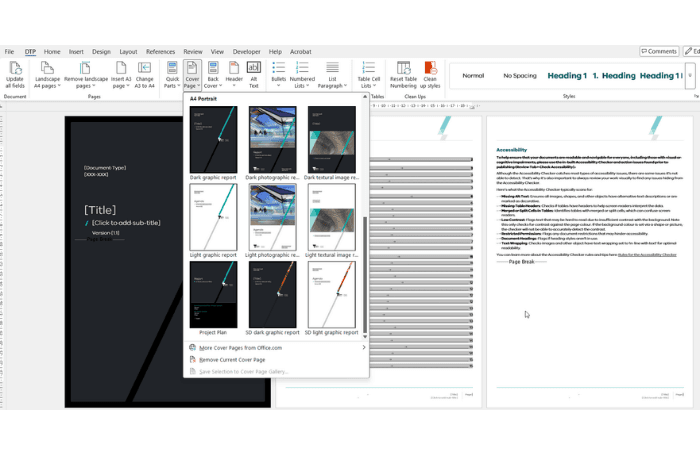
A single controlled master template underpins every document thats produced, once in place, an update only ever needs to happen once, not across hundreds of individual files.
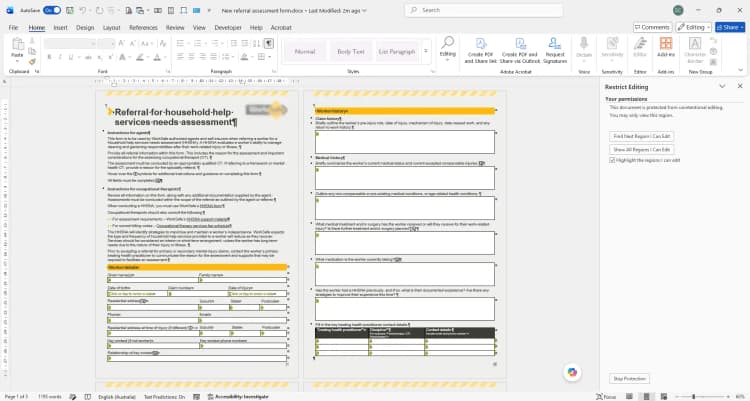
Beyond a single accessible template,most departments also need systems integrated to allow for: bulk document generation, protected branding, and integration with the records systems already in use.
Correspondence, notices and reports generated in bulk from your department's data sources, formatted correctly and consistently every time, regardless of volume.
Mail merge solutionsFonts, colours, logos and layout protected within the template itself, so departmental branding stays consistent no matter who in the organisation is producing a document.
Corporate identity protectionA dedicated ribbon tab can put your department's approved tools, templates and macros in front of staff, reducing reliance on standard Word menus for controlled tasks.
Custom toolbars and ribbonsWord templates connected to your existing records or case management systems, so document data stays in sync rather than being retyped between platforms.
Word API integrationsGovernment rollouts move through sign-off and testing stages that a smaller business might not need. We build that into the process from the start, rather than treating it as an afterthought.
As part of the nationwide Office Experts Group, we can also call on specialists in Access databases, Excel reporting or Power Platform when a project extends beyond Word documents alone.
Start a conversationWe meet with the relevant document owners, IT and compliance stakeholders to understand existing templates, formatting rules and any accessibility or records management requirements already in place.
The controlled master template is built or remediated first, with sub templates for reports, letters and forms developed from it so every document shares the one governed source.
A small group of staff trials the new templates before wider release, giving us a chance to refine formatting, validation and instructions against real day-to-day use.
Once approved, the templates are rolled out across the department with documentation and optional training, so staff know exactly how to use the controlled environment going forward.

What makes your document solutions suitable for government departments?
Can templates be customised to meet our department's specific guidelines?
How do your templates support accessibility requirements?
What is the benefit of using master templates in a controlled environment?
Do you offer support for template implementation and user training?
Copyright © 2024. Brayalei Pty Ltd T/As Office Experts Group. ABN 32 093 067 737. ACN 093 067 737. All Rights Reserved.