 consult@wordexperts.com.au
 1300 122 038
Blank templates left open to interpretation
A document sits on the shared drive with instructions in the header informing staff on what to fill in and where. Everyone reads it slightly differently, and the final documents are inconsistent.
Your Microsoft Technology Development and Consulting Experts - Operating since 2000




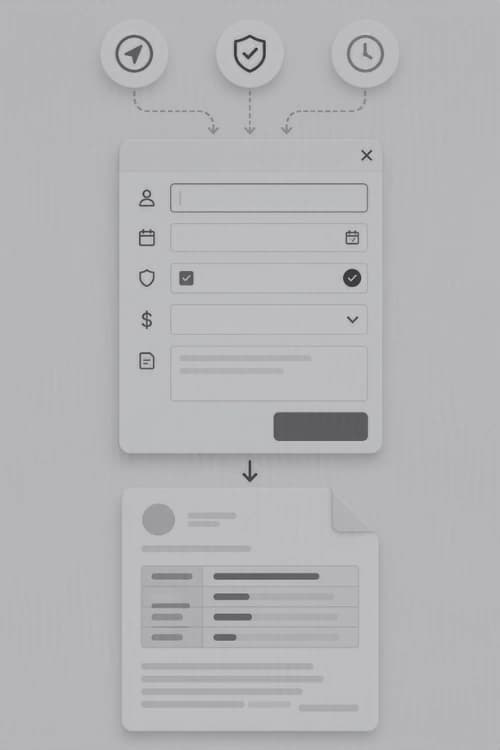
A popup form can be much more than a simple data entry box. A custom built popup form will guide your staff through exactly what the document requires, it checks answers in realtime, and writes the result straight into the document, with none of the guesswork or copy-paste errors that come with a blank template.
We design and build custom VBA popup forms for SMB's and organisations who rely on consistent and accurate documents. The automation of this process is an investment that will save time and money over a relatively short period.
What a popup form can do
Custom VBA UserForms that walk staff through exactly what's required, in the right order, so nothing gets missed or entered out of sequence.
Learn moreDropdown lists, format checks, and mandatory field rules that catch mistakes at the point of entry, before they ever reach the document.
Learn moreForms that adapt as they're filled in, showing or hiding fields based on earlier answers, so users only ever see what's relevant to them.
Learn moreCaptured data flows straight into your Word document's fields, content controls, or quick parts, keeping formatting and branding consistent every time.
Learn moreConnect popup forms to SharePoint lists, SQL databases, or existing spreadsheets so the form is always working from current data.
Learn moreRecognise any of these?
When templates rely heavily on manual text entry, formatting and consistency will inevitably one of these days break down. With Word Experts implementing automated pop-up forms, we eliminate these vulnerabilities entirely, guiding all users through error-proof, consistent data entry.
A document sits on the shared drive with instructions in the header informing staff on what to fill in and where. Everyone reads it slightly differently, and the final documents are inconsistent.
The same client name, reference number, or set of figures gets typed out again for every new document. Each retype is another chance for a typo to creep its way into a contract, letter, or report.
Without validation, there's nothing stopping a mandatory field being skipped, a date being entered the wrong way around, or a dropdown-style answer being typed manually with errors.
Manual entry means manual formatting. Fonts, spacing, and layout can shift slightly every time someone fills in a template by hand, and brand consistency gradually weakens with each new document.
The information a document needs already exists in a spreadsheet, SharePoint list, or database, but there's no link between it and the document, so someone has to go and find it manually and painstakingly copy-paste it.
Popup forms can be used for far more than a single data-entry box. From guided intake through to fully validated, document-ready submissions, we build to the exact structure your process calls for.
We can design VBA UserForms that provide exactly the fields a document needs, in a logical order, with clear labels and instructions built in to simplify the process as much as possible.
Every field can carry its own validation rule, so the form itself stops incomplete or incorrectly formatted data before it ever reaches your document.
Not every document needs every field. We build forms that adapt as they're completed, showing, hiding, or requiring fields based on earlier answers.
Once submitted, form data is written straight into your Word document, whether that's into bookmarks, content controls, quick parts, or a full mail merge run.
Popup forms aren't a one-size-fits-all tool. The right structure depends on what the document is for, who's filling it in, and what happens to the data afterwards. Here are some of the most common scenarios we build for.
New client paperwork is filled in by hand or typed from scratch each time, with names, addresses and account details retyped across several different documents for the one engagement.
A single popup form captures client details once and populates every document the engagement requires, from the engagement letter to the internal file note, keeping every record identical.
Legal and compliance templates carry serious risk if a clause reference, date, or figure is entered incorrectly, yet they're often still completed manually under time pressure.
Validation rules and mandatory fields make sure a compliance document can't be finalised until every required detail has been entered correctly, reducing risk and rework.
Government departments often work with strict formatting and accessibility standards, but standard templates rely on staff remembering every rule every time a document is created.
We build popup forms that enforce departmental formatting and accessibility requirements automatically, so compliant documents come out the same way every time, regardless of who's entering the data.
Letters, proposals and reports sent to clients need to look identical no matter who in the business produced them, but manual formatting drifts the moment more than one person is involved.
Form-driven documents pull from a locked brand template, so every letter, proposal or report keeps consistent fonts, spacing and logo placement without staff needing design skills.
Internal HR paperwork, leave forms, incident reports, onboarding checklists, is filled in inconsistently, making it hard to track, file, or report on later.
Structured popup forms with required fields and dropdown answers make internal paperwork consistent and searchable, and can write directly into a tracking spreadsheet or database at the same time.
Some documents, quotes, schedules, itemised reports, need the same block of fields repeated multiple times, which is tedious and error-prone to lay out manually in Word.
We build forms that let users add as many repeating entries as needed, with each one correctly inserted into a table or repeating section in the finished document.
The best results come from understanding your pain points first, then building the solutions around them. We work with your existing template wherever possible, rather than starting from scratch.
As part of the nationwide organisation Office Experts Group, we can also call on specialists in VBA macro development, Access databases or Power Platform when a form needs to connect to the entire Microsoft ecosystem.
Start a conversationWe start by looking at the document itself, what fields it needs, who fills it in, how often, and what currently goes wrong. This usually takes a short conversation and a look at your existing template.
We map out the fields, validation rules, and any conditional logic the form needs, along with exactly where each answer should land in the final document, whether that's a bookmark, content control, or merge field.
The form is built into your existing template using VBA, tested against real examples and edge cases, then handed over with documentation so your team knows exactly how it works.
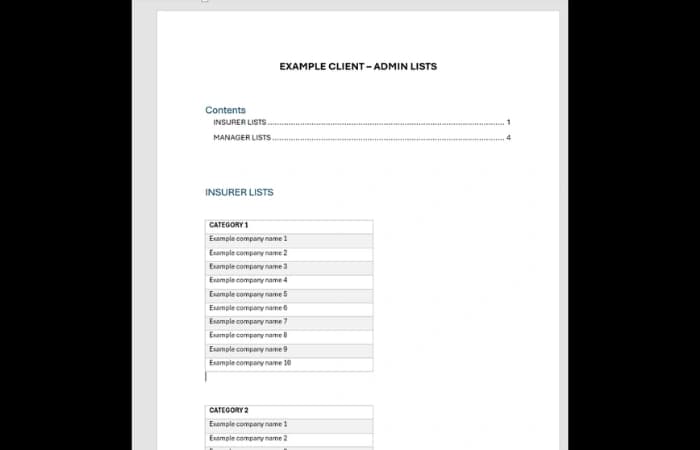
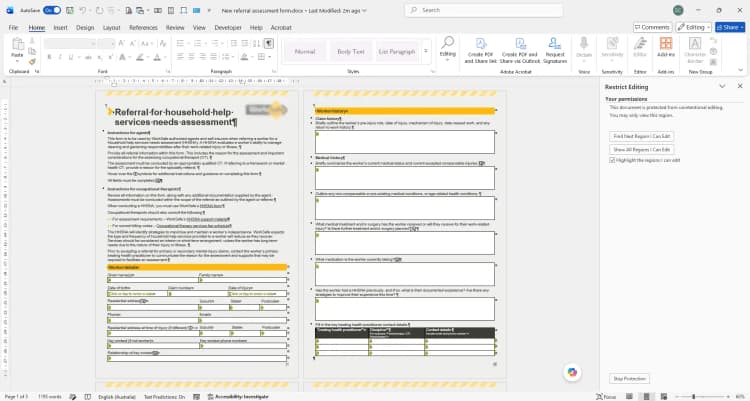
What are popup forms in Microsoft Word?
How do popup forms improve data entry and accuracy?
Can popup forms be customised for different document needs?
What types of documents benefit most from popup forms?
How do I get started with popup forms for my business?
Copyright © 2024. Brayalei Pty Ltd T/As Office Experts Group. ABN 32 093 067 737. ACN 093 067 737. All Rights Reserved.